Policy Templates
About This Feature
Policy Templates is a library of pre-defined TracingPolicy templates, including built-in common security policy templates and user-created custom templates. With Templates, you can apply validated policy definitions with one click to quickly deploy security monitoring rules - no need to write YAML from scratch.
Viewing the Template List
Navigate to the "Templates" page to see all available templates displayed as cards.
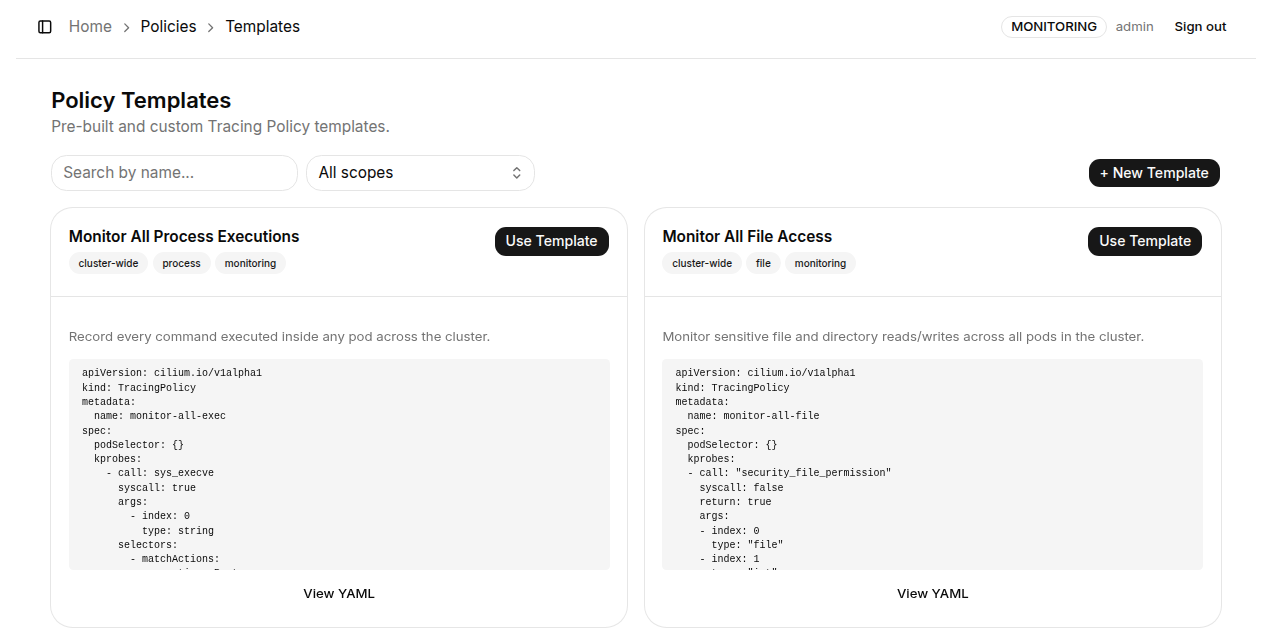
Each template card contains:
| Element | Description |
|---|---|
| Template name | Display name of the template, briefly describing its purpose |
| Tags | Labels categorizing the template's use case (e.g., cluster-wide, process, monitoring) |
| Description | Brief explanation of what this template does and when to use it |
| YAML preview | Shows the first few lines of the template YAML for a quick glance |
| Use Template | Create a new TracingPolicy immediately using this template |
| View YAML | View the complete YAML definition of this template |
Creating a Policy from a Template
Click the "Use Template" button on a template card to open a confirmation dialog.
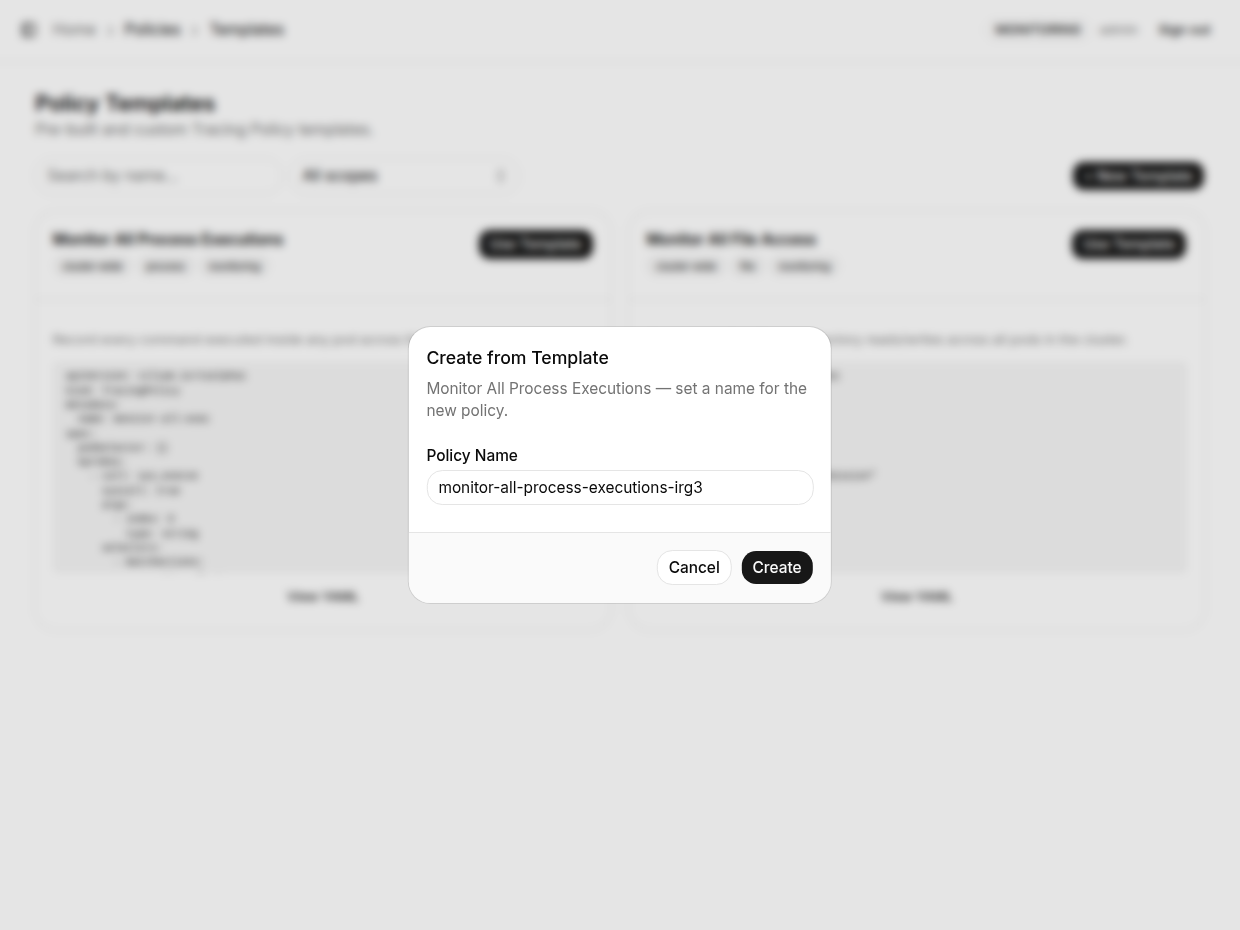
Steps:
- The system auto-generates a Policy Name (format:
<template-name>-<random-suffix>) - Optionally edit the Policy Name - must follow Kubernetes naming conventions (lowercase letters, numbers, and hyphens)
- Click "Create" to complete
How it works: K8s Sentinel uses the template's YAML structure as a base, replaces metadata.name with the Policy Name you entered, and creates the corresponding TracingPolicy resource in the cluster via the Kubernetes API Server. The newly created Policy will appear on the TracingPolicy list page.
Viewing Template YAML
Click the "View YAML" link at the bottom of a template card to open the full YAML view page.
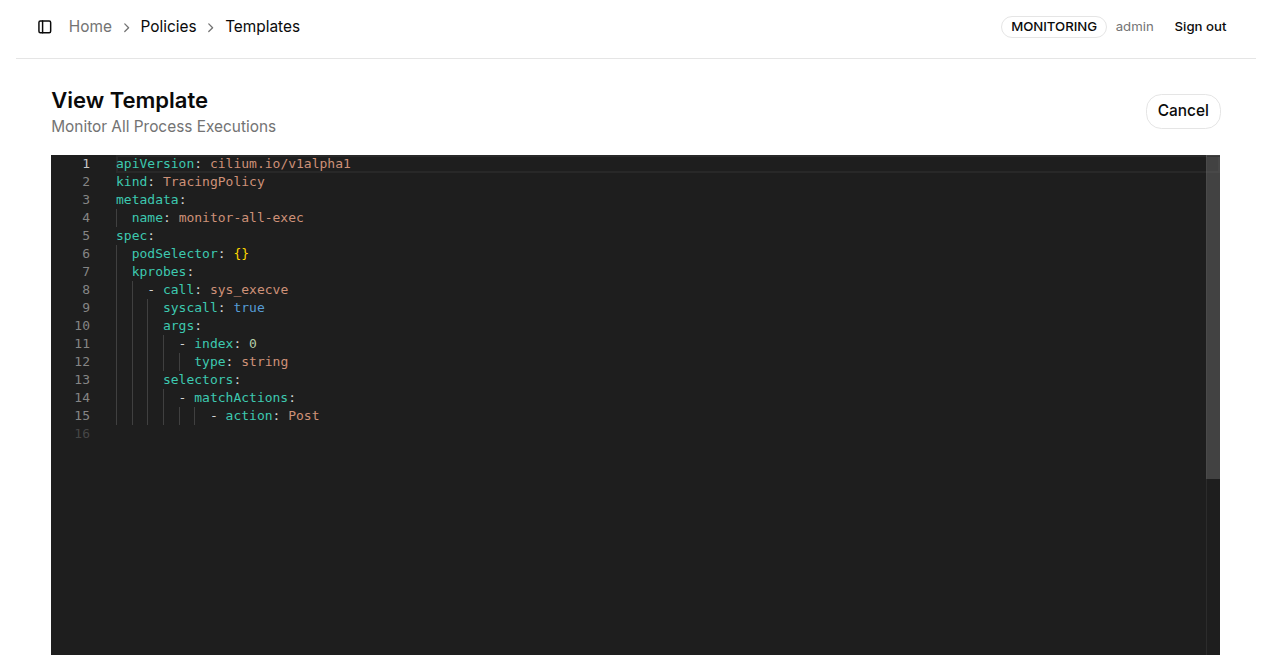
This page displays the complete TracingPolicy YAML definition with syntax highlighting, making it easy to understand the full configuration of the template or use it as a reference when writing your own YAML. Click "← Back" to return to the template list.
Creating a Custom Template
Click the "+ New Template" button in the top-right corner of the page to expand the custom template creation form.
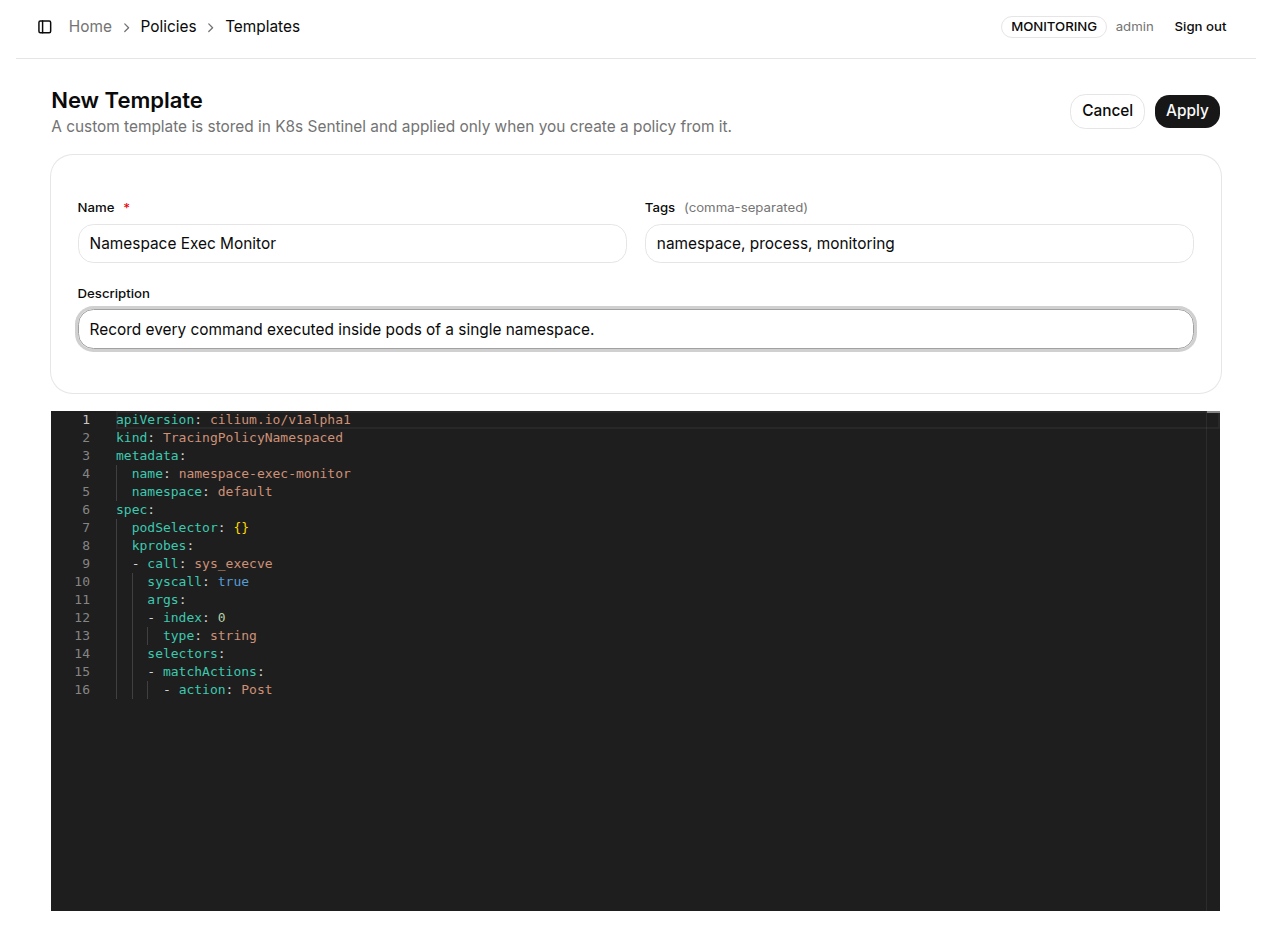
Form fields:
| Field | Required | Description |
|---|---|---|
| Name | ✅ | Display name for the template; use a meaningful, descriptive name |
| Tags | - | Comma-separated labels for categorization and quick identification (e.g., namespace, process) |
| Description | - | Explains the template's purpose to help team members understand when to use it |
| YAML | ✅ | Complete TracingPolicy YAML definition, must comply with the cilium.io/v1alpha1 schema |
Click "Apply" to save. The custom template will appear in the template list for future reuse.
Before creating a custom template, design and test your policy in the TracingPolicy page using the Form Editor or YAML Editor first. Once you confirm the rules are correct, save it as a template - this ensures the template YAML is valid before sharing it with your team.