Syslog
About This Feature
The Syslog page lets you configure forwarding of Security Events and Admission Events to external syslog servers (rsyslog / syslog-ng), supporting both UDP and TCP transport. Syslog integration feeds K8s Sentinel security events into your existing enterprise logging infrastructure (e.g., a SIEM), enabling centralized security event management and long-term archiving.
Viewing Syslog Configurations
Navigate to "Settings → Syslog" to see all configured syslog forwarding rules.
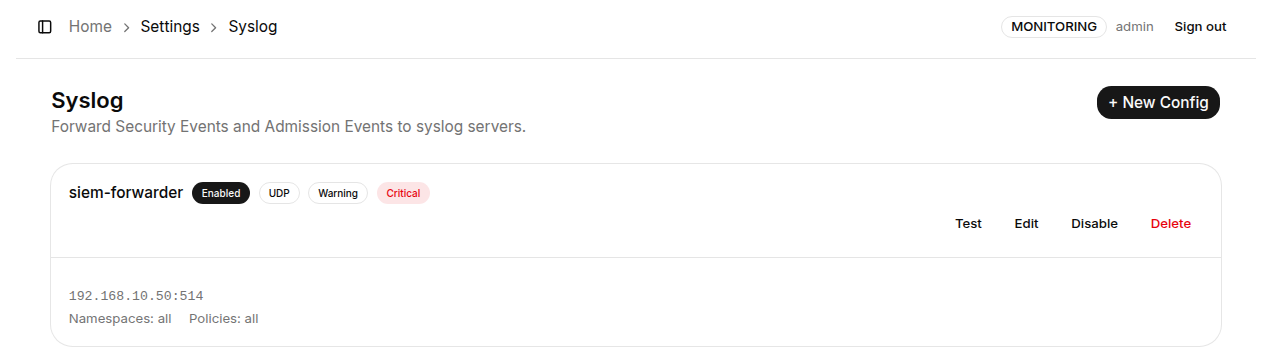
Creating a New Syslog Config
Click "+ New Config" in the top-right corner to open the configuration page.
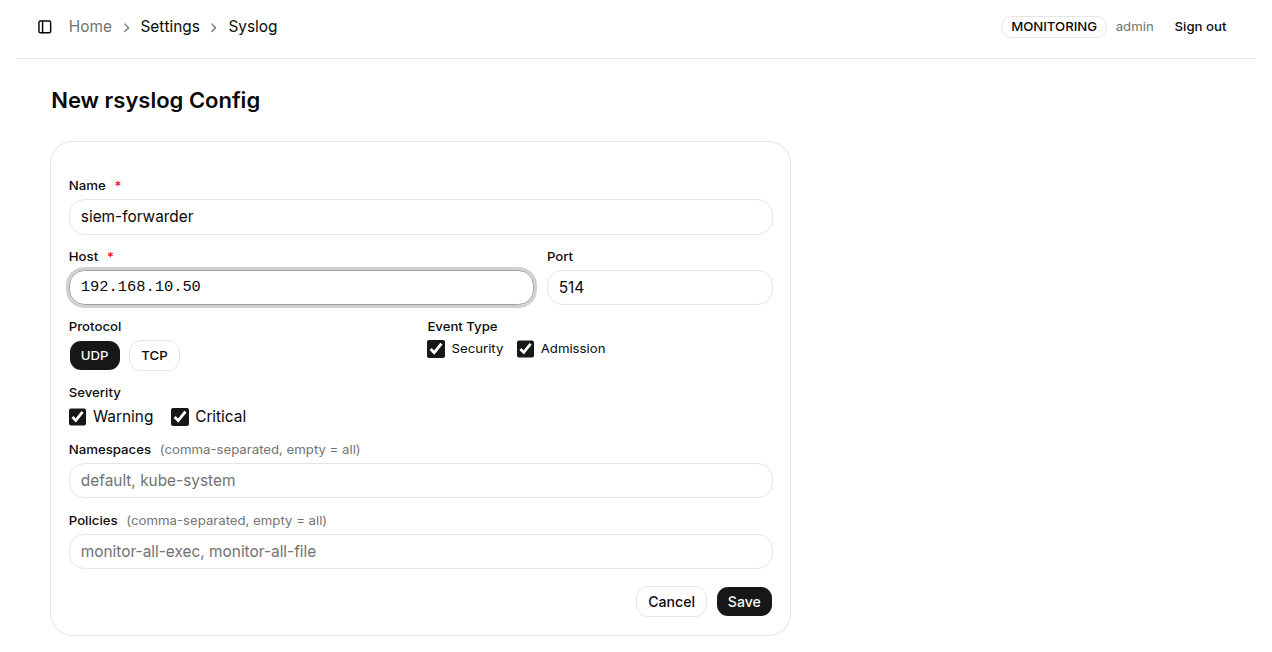
Form fields:
| Field | Required | Description |
|---|---|---|
| Name | ✅ | Display name for this syslog configuration |
| Host | ✅ | IP address or hostname of the syslog server |
| Port | ✅ | Port the syslog service listens on - default is 514 |
| Protocol | ✅ | Transport protocol: udp (low latency, no delivery guarantee) or tcp (reliable delivery) |
| Event Type | - | Check which event types to forward: Security (Tetragon kprobe events), Admission (Admission Policy violations) |
| Severity | - | Check which severity levels to forward: warning, critical |
| Namespaces | - | Comma-separated Namespace names; leave empty to forward events from all Namespaces |
| Policies | - | Comma-separated Policy names; leave empty to forward events from all Policies |
Click "Save" to activate the configuration.
Protocol Selection Guide
| Protocol | When to use |
|---|---|
| UDP | Stable LAN environment, syslog server on the same network, latency-sensitive - fast but delivery not guaranteed |
| TCP | Reliable delivery required, cross-segment or WAN environments - slight overhead for connection maintenance, but no message loss |
Use Alerts (Webhook) alongside Syslog - Webhook for real-time alert notifications and Syslog for long-term event archiving. The two features complement each other, covering both immediate incident response and compliance auditing.