Pod Quarantine
Overview
Quarantine gives you one-click Pod network isolation for incident response. When a Pod shows suspicious behavior in Security Events, you can isolate it immediately: the Pod is cut off from the network but keeps running - its process, memory and open files stay intact for forensic investigation.
How It Works
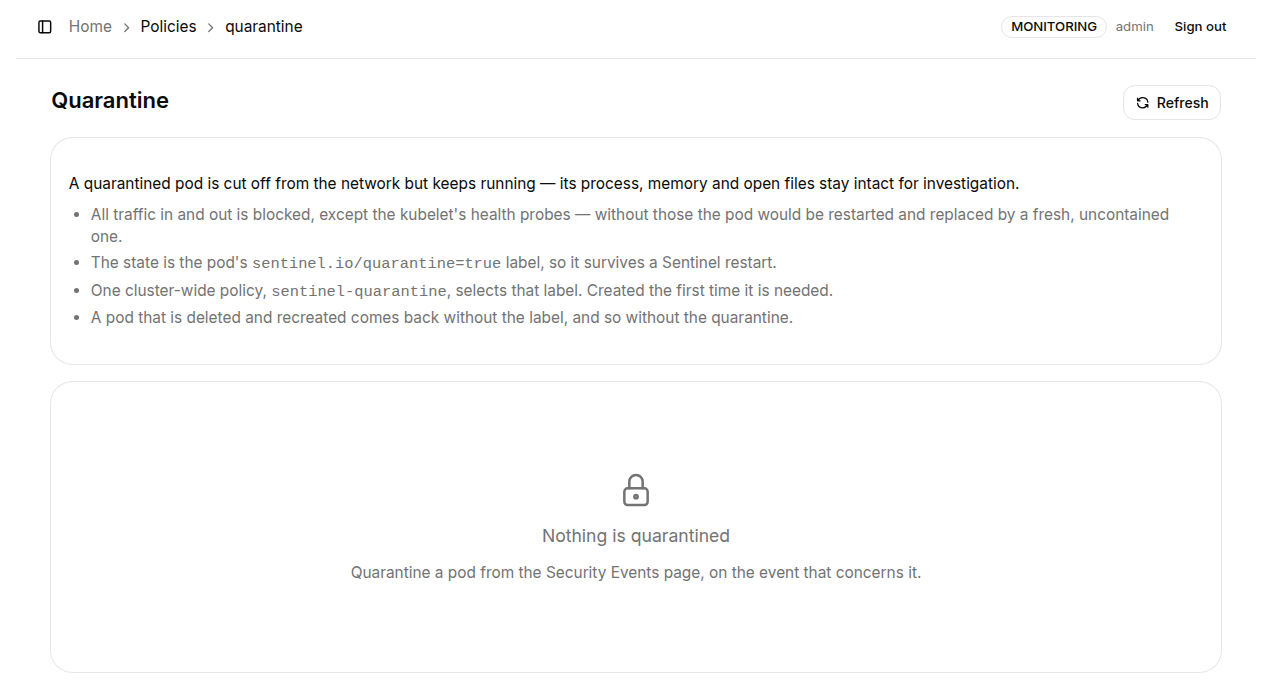
Quarantine behaves as follows:
- All traffic in and out is blocked, except the kubelet's health probes. Keeping the probes alive is deliberate - without them the Pod would be restarted and replaced by a fresh, uncontained one, destroying the evidence and giving the threat its network back.
- The state is the Pod's
sentinel.io/quarantine=truelabel, so it survives a K8s Sentinel restart. - Isolation is enforced by one cluster-wide Cilium policy,
sentinel-quarantine, which selects that label. It is created the first time it is needed. - A Pod that is deleted and recreated comes back without the label, and so without the quarantine. If the threat may return with the recreated workload, combine quarantine with other policies.
Quarantining a Pod
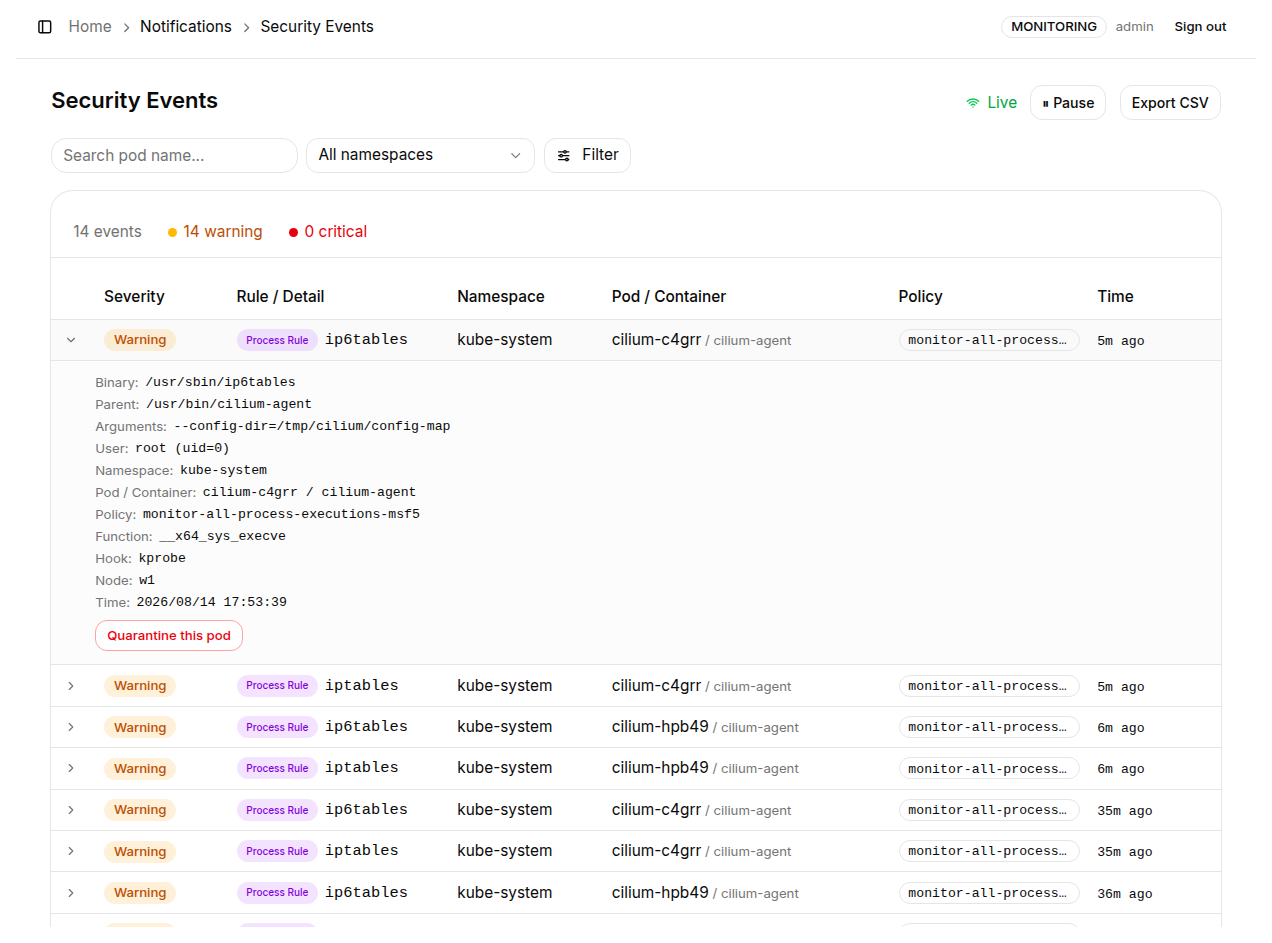
The quarantine action lives on the "Notifications → Security Events" page.
- Find the security event for the suspicious behavior and click the row to expand its detail panel
- Click the "Quarantine this pod" button at the bottom right of the panel
- A confirmation dialog restates the impact: the Pod loses all network access; the container keeps running, so anything it serves stops
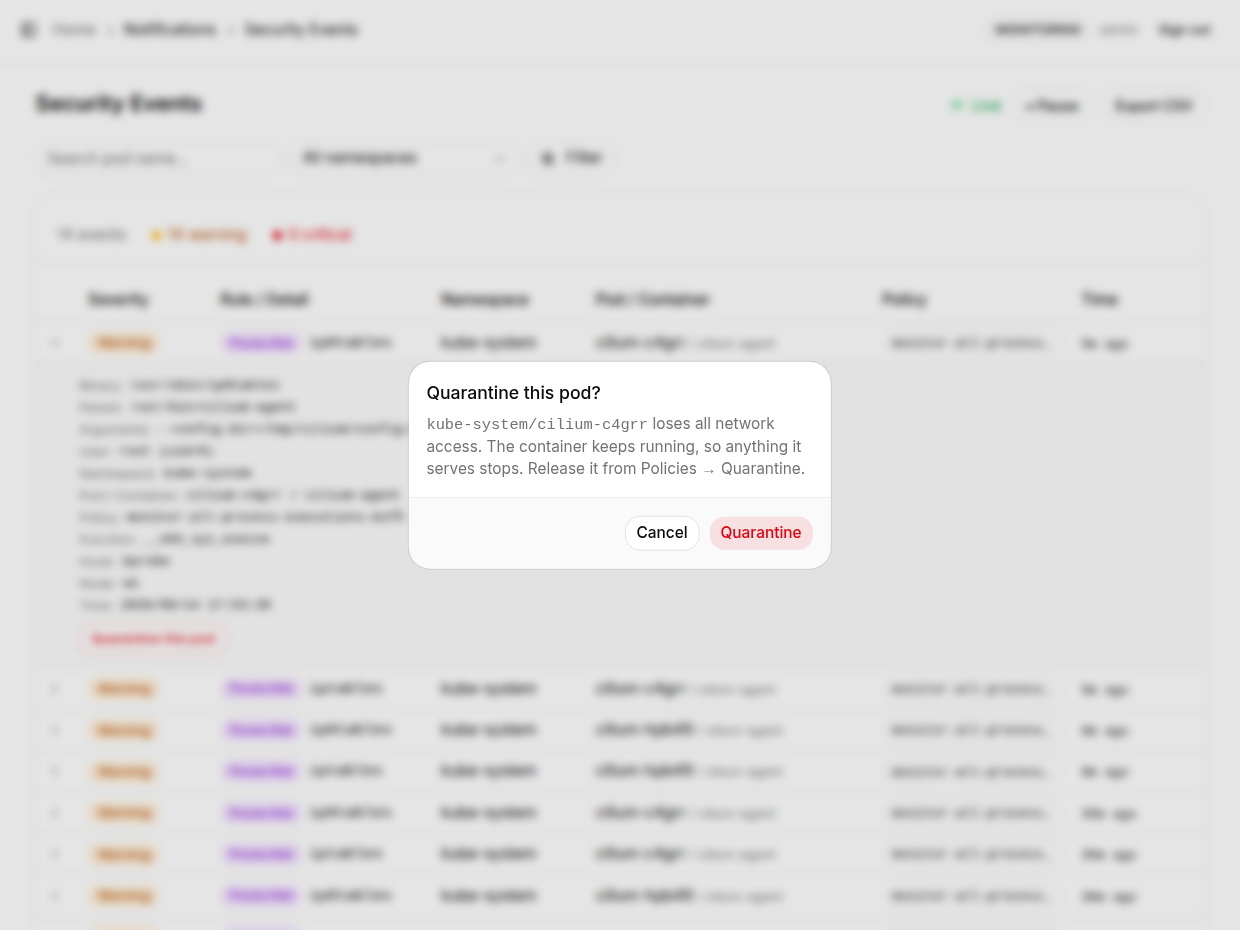
- Click "Quarantine" to confirm - the Pod is isolated immediately
Viewing and Releasing
Open "Policies → Quarantine" to see all currently quarantined Pods, including who asked and when. When nothing is quarantined, the page shows "Nothing is quarantined".
Once the investigation is complete, Release the Pod from this page (which removes the sentinel.io/quarantine label) and it regains normal network connectivity. Because the state lives on the Pod's label, a release also works without the UI:
kubectl label pod <pod-name> -n <namespace> sentinel.io/quarantine-
Automatic quarantine on a policy violation is deliberately not provided: the Tracing Policy form defaults to whitelist mode, where anything not listed fires, so one mis-scoped policy could contain an entire Deployment in seconds.
Quarantine interrupts everything the Pod serves. If the Pod belongs to a multi-replica workload such as a Deployment, the remaining replicas keep serving - isolating a single replica usually does not cause a full outage - but confirm the blast radius before you proceed.
Quarantine works best as a "contain first, investigate second" move: the Pod's processes and memory stay intact after isolation, so you can safely kubectl exec or kubectl debug into the container to collect evidence without worrying about further lateral movement.