Alerts
About This Feature
The Alerts page lets you configure webhook alert rules that trigger when Security Events or Admission Events match specified conditions. K8s Sentinel sends an HTTP POST to the configured webhook URL. The message is in Slack format, so it works directly with a Slack Incoming Webhook or any service that accepts the Slack format.
Viewing Alert Rules
Navigate to "Settings → Alerts" to see all configured alert rules.
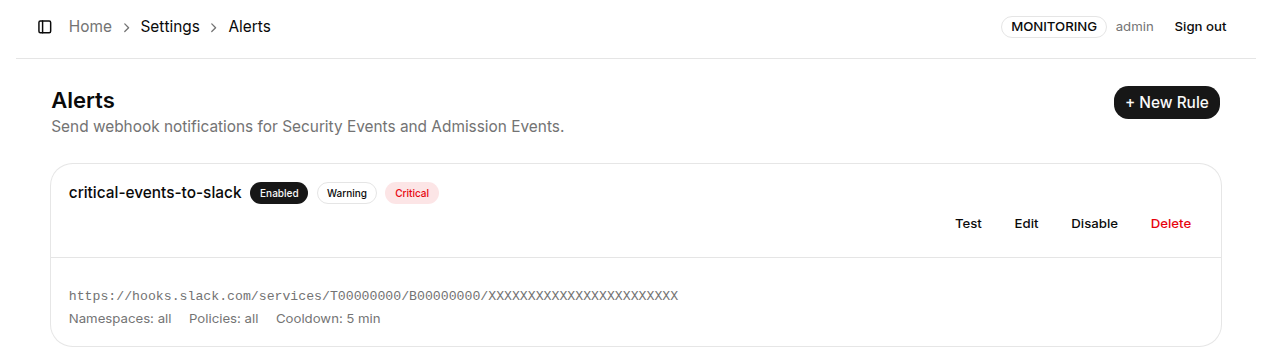
Since v0.64, Viewers and the log see only the host of a webhook URL; the full URL (including any token in it) is visible to Admins only.
Creating a New Alert Rule
Click "+ New Rule" in the top-right corner to open the rule creation page.
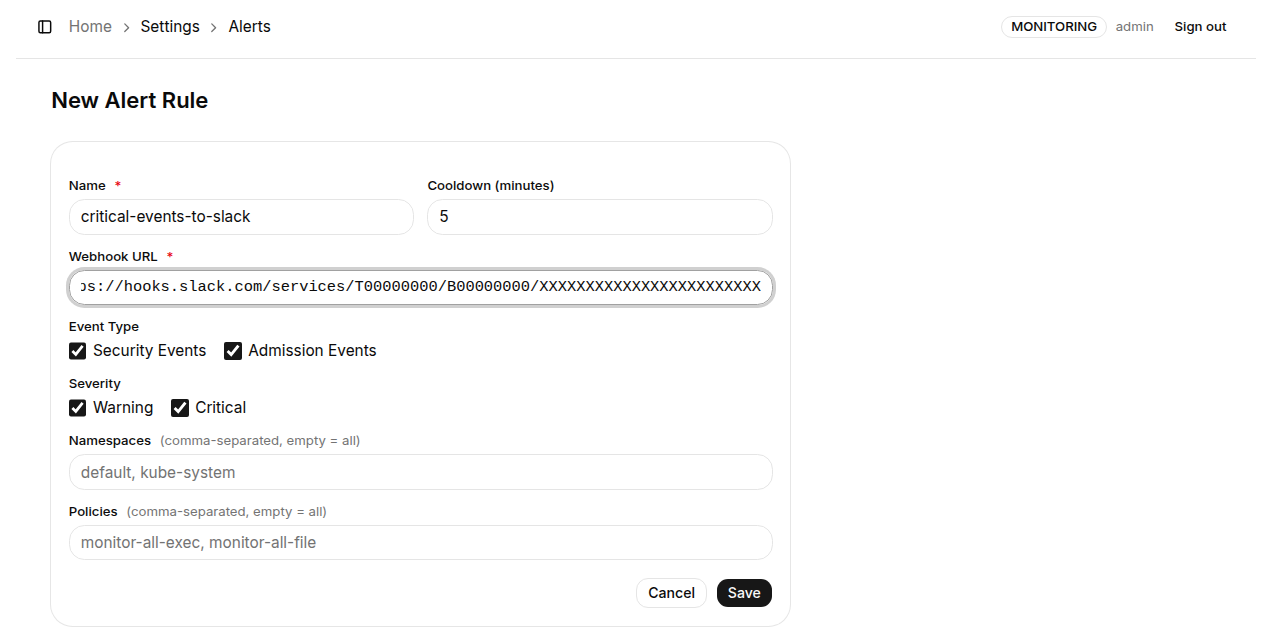
Form fields:
| Field | Required | Description |
|---|---|---|
| Name | ✅ | Display name for this alert rule |
| Cooldown (minutes) | ✅ | Minimum interval between triggers for this rule - prevents alert storms; default is 5 minutes |
| Webhook URL | ✅ | The webhook endpoint to POST to (e.g., a Slack Incoming Webhook URL) |
| Event Type | - | Check which event sources to monitor: Security Events, Admission Events, or both |
| Severity | - | Check which severity levels to trigger on: warning, critical, or both |
| Namespaces | - | Comma-separated Namespace names to watch; leave empty to watch all Namespaces |
| Policies | - | Comma-separated Policy names to watch; leave empty to watch all Policies |
Click "Save" to activate the rule.
How Alerting Works
When a new security event arrives and matches a rule's conditions, the backend:
- Checks whether the event's Namespace, Policy name, and severity match the rule
- Verifies the rule is not within its cooldown period
- Constructs an alert payload and sends it via HTTP POST to the webhook URL
Throttling and retries (v0.51+): all event-driven alerts (Security and Admission) go through a bounded queue to a single sender, which:
- Paces each webhook to about one message per second, so a burst of events no longer becomes a burst of concurrent POSTs that trips the receiver's rate limit
- On HTTP 429, honours
Retry-Afterwith bounded backoff and retries a few times; 5xx responses (usually transient) are also retried; plain 4xx (e.g. a deleted webhook) is not - Drops with a log entry when the queue is full instead of growing memory without bound
- The manual "Test" button bypasses the queue and posts synchronously, so the UI gets an immediate success/failure result
Two rules pointing at different webhook URLs of the same Slack app share one quota. If the app is already inside a rate-limit window from earlier bursts, let it subside first.
Supported Platforms
The alert payload K8s Sentinel sends is in Slack format. Platform support is as follows:
| Platform | Supported | Notes |
|---|---|---|
| Slack | ✅ | Use a Slack Incoming Webhook URL |
| Discord | ✅ | Append /slack to the Discord Webhook URL and Discord accepts the Slack-format payload |
| Microsoft Teams | ❌ | Not supported: Teams requires its own card format and cannot interpret a Slack-format payload |
Consider setting up separate rules for different severity levels - route critical alerts to a high-priority channel and warning alerts to a general monitoring channel to help triage incidents faster.