Admission Policy
About This Feature
Admission Policy provides a visual builder for Kubernetes ValidatingAdmissionPolicy (VAP). Users can create resource admission rules through a graphical form without writing CEL expressions by hand. All policies created via K8s Sentinel are applied directly to the Kubernetes API Server, which validates resources in real time when they are created or updated.
Page Structure
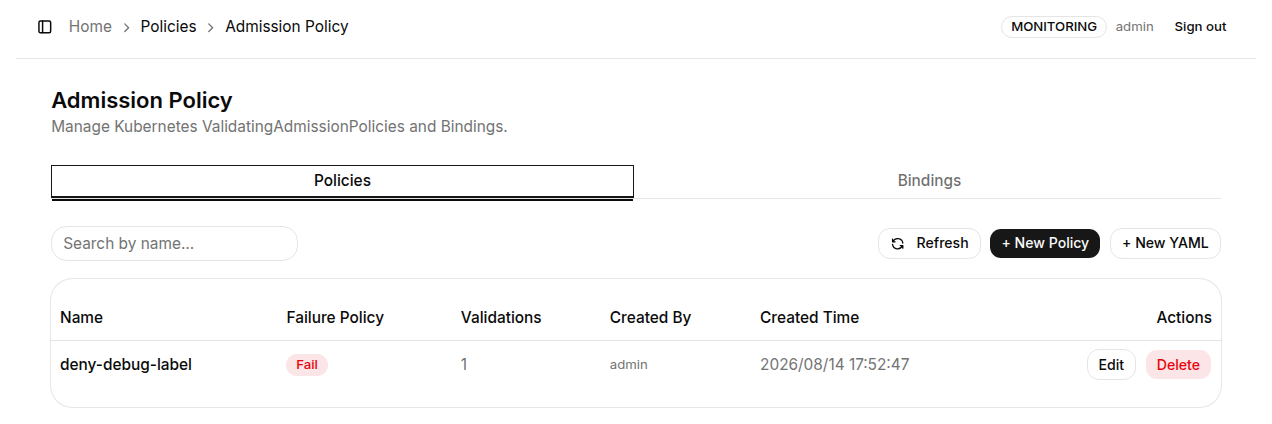
The Admission Policy page has two tabs:
- Policies - lists all
ValidatingAdmissionPolicyresources in the cluster - Bindings - lists all
ValidatingAdmissionPolicyBindingresources that associate Policies with specific Namespaces or resources
Creating a New Policy
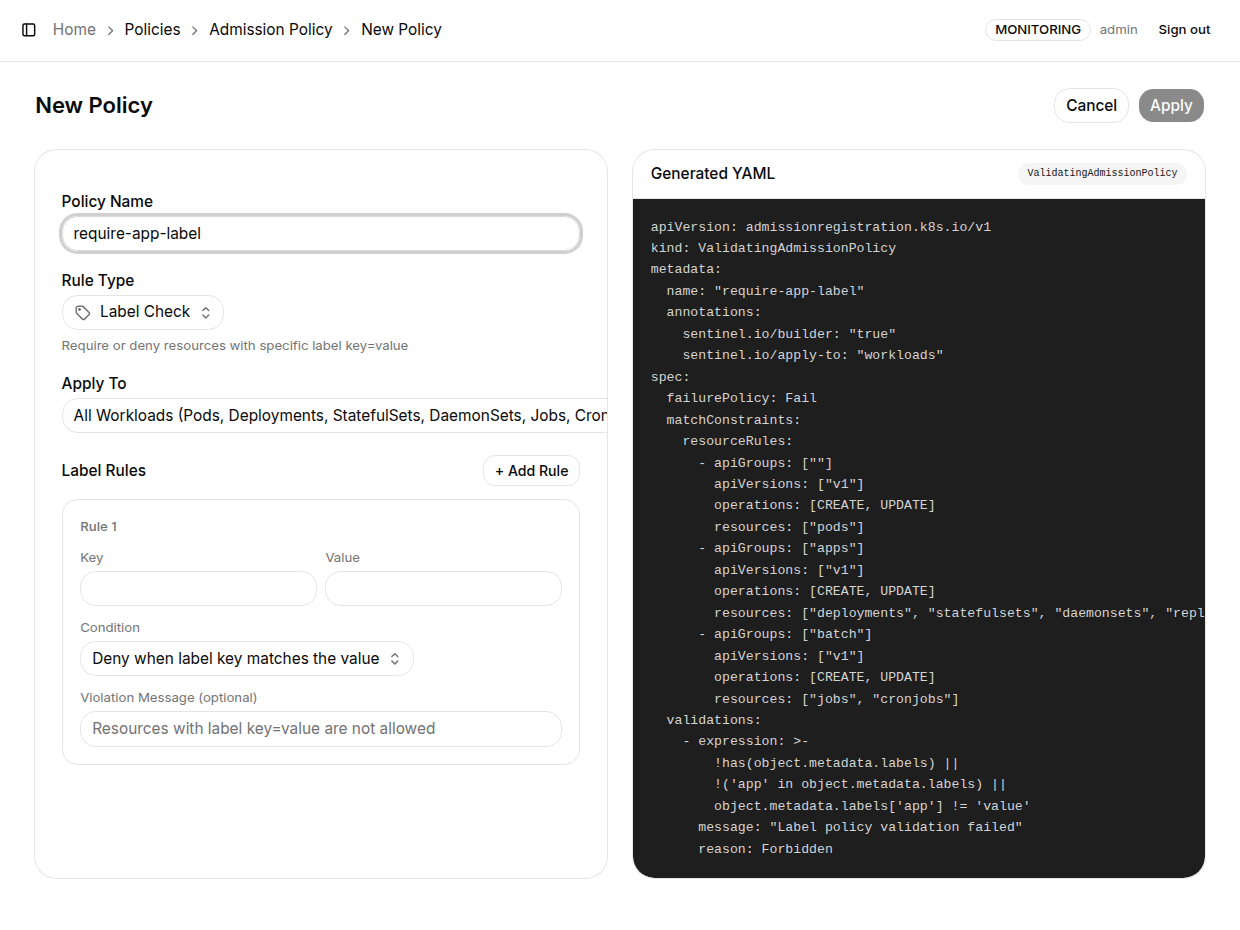
Click "+ New Policy" in the top-right corner to open the visual builder.
Supported Rule Types
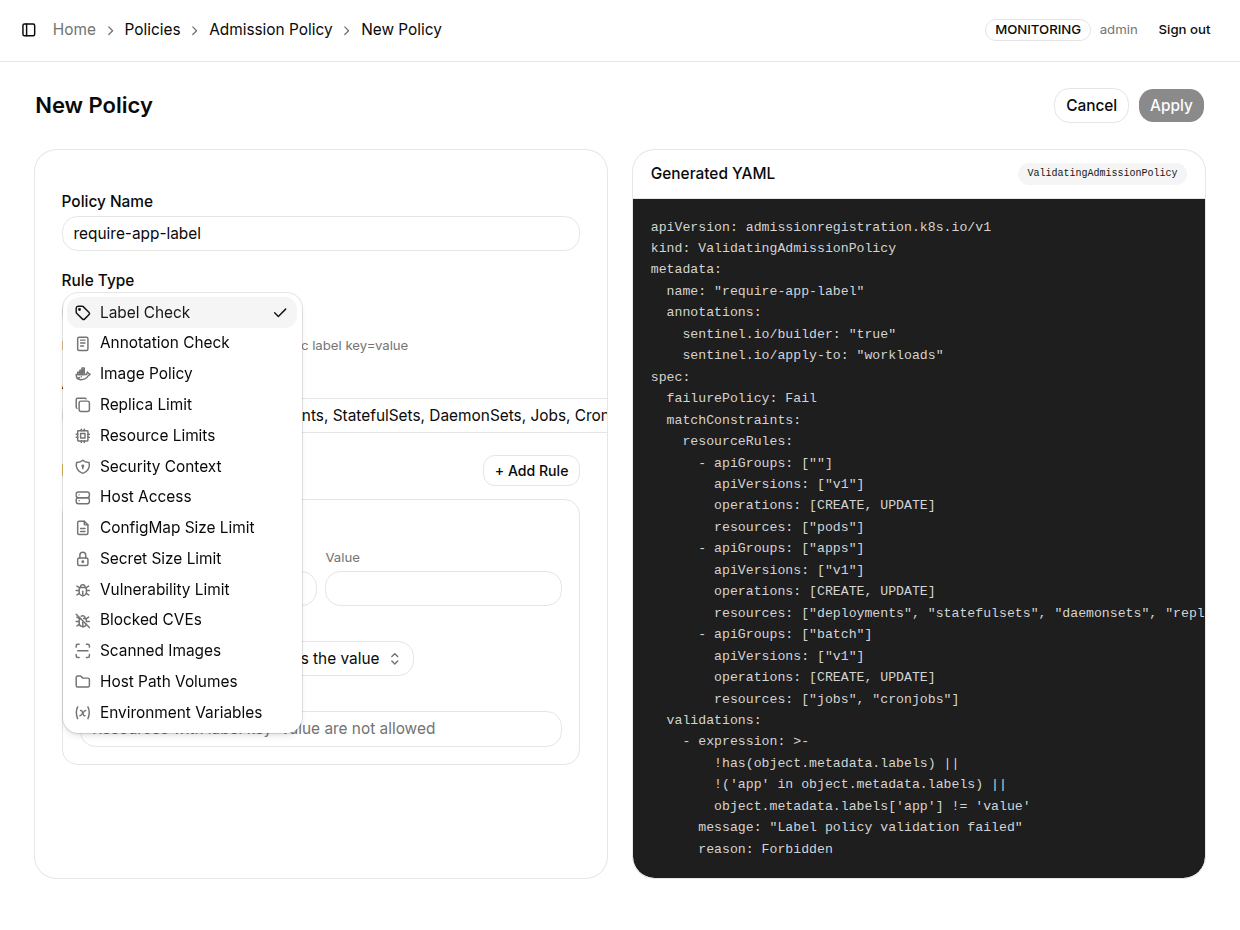
K8s Sentinel provides fourteen built-in rule types, chosen from the Rule Type dropdown (a dropdown instead of a row of buttons since v0.66.1):
| Rule Type | Description |
|---|---|
| Label Check | Require or forbid specific label key=value pairs; multiple rules supported |
| Annotation Check | Require or forbid specific annotation key=value pairs |
| Image Policy | Forbid the :latest tag and require images from named registries. Since v0.59 it covers initContainers and ephemeral (debug) containers, the registry prefix compares case-insensitively, and an untagged image with a registry port (myreg:5000/app) is correctly refused |
| Replica Limit | Cap replicas on Deployments / StatefulSets. Since v0.59 kubectl scale and HPA via the scale subresource are capped too |
| Resource Limits | Require CPU / Memory limits, covering every workload type and initContainers. Since v0.68 an optional Max CPU limit and Max memory limit can cap them (written as Kubernetes writes quantities: 2, 500m, 4Gi); with a ceiling given, a container over it or with no such limit set is refused |
| Security Context | Forbid privileged containers and require runAsNonRoot (honouring pod- and container-level inheritance). Covers ephemeral (debug) containers since v0.59. Since v0.68 it can require allowPrivilegeEscalation: false (No Privilege Escalation), which has to be written out since unset means allowed |
| Host Access | Forbid hostNetwork, hostPID and hostIPC host-sharing options |
| ConfigMap Size (v0.55+) | Cap a ConfigMap's total size (KB; data plus binaryData, key names included). A new object must fit the cap; an existing oversized one may stay or shrink but not grow |
| Secret Size (v0.57+) | The same total-size cap for Secrets, with data measured base64-decoded; managed types (kubernetes.io/service-account-token, bootstrap.kubernetes.io/token, helm.sh/release.v1) are exempt |
| Vulnerability Limit (v0.66+) | Refuse images with more Critical or High vulnerabilities than allowed, by K8s Sentinel's own scan results. See Refusing Vulnerable Images |
| Blocked CVEs (v0.68+) | Refuse images that have any of the vulnerabilities named, whatever their severity. See Refusing Vulnerable Images |
| Scanned Images (v0.70+) | Refuse images K8s Sentinel has no scan result for. See Refusing Vulnerable Images |
| Host Path Volumes (v0.68+) | Forbid hostPath volumes: all of them (Every hostPath volume), or those that reach given paths. With /var/run given, /var/run/docker.sock is refused, and so are /var and /, which contain it, and a path written to dodge the comparison (//var/run) |
| Environment Variables (v0.68+) | Require variables in every container (Required in every container) and forbid others (Not allowed), both separated by commas. A forbidden name is matched whole and in any capitalisation (pass refuses PASS and Pass, not DB_PASS); a required name has to be exact |
Form Fields
| Field | Description |
|---|---|
| Policy Name | The ValidatingAdmissionPolicy resource name - must follow Kubernetes naming conventions |
| Rule Type | Choose one of the fourteen rule types above from the dropdown |
| Apply To | Choose which resource types this policy applies to (All Workloads, Pod, Deployment, StatefulSet, DaemonSet, Job, CronJob, and since v0.59 Namespaces); workload rules also match ReplicationControllers |
| Rule details | Fields specific to the selected rule type appear below; a blank Violation Message uses a concrete default (previewed live as the field placeholder) |
- The size rules skip objects with more than 200 keys (a cost-budget guard, so a huge object can never become permanently unwritable under
failurePolicy: Fail) - The Security Context rule does not cover
capabilities-based privilege; Host Access does not coverhostPort - The Host Path Volumes rule does not look at other volume types, and does not follow a symbolic link on the node
- The Environment Variables rule does not see variables a container takes with
envFrom: their names are in a ConfigMap or Secret the policy cannot read. Forbidden names are checked in init and ephemeral containers too
Live YAML Preview
The Generated YAML panel on the right shows the complete ValidatingAdmissionPolicy YAML generated from your form inputs in real time, so you can verify the CEL expressions and rule content at any point.
Creating a Policy via YAML
For finer-grained control, click "+ New YAML" to paste a complete ValidatingAdmissionPolicy YAML definition directly.
A policy built with the form reopens in the form (defaults the kube-apiserver adds on persist, such as matchPolicy: Equivalent, don't affect this); a policy applied with kubectl or carrying explicit non-default settings the form cannot represent opens in the YAML editor, so a form save cannot erase them. Bindings behave the same way.
Vulnerability Limit, Blocked CVEs, Host Path Volumes and Environment Variables policies made before v0.69 keep working as they were written, but Edit opens them in the YAML editor. Make them again in the form to get the corrected rules, of which the first two matter most: the earlier ones could be passed by a manifest that names an owner for itself.
Managing Bindings
Switch to the "Bindings" tab to manage ValidatingAdmissionPolicyBinding resources.
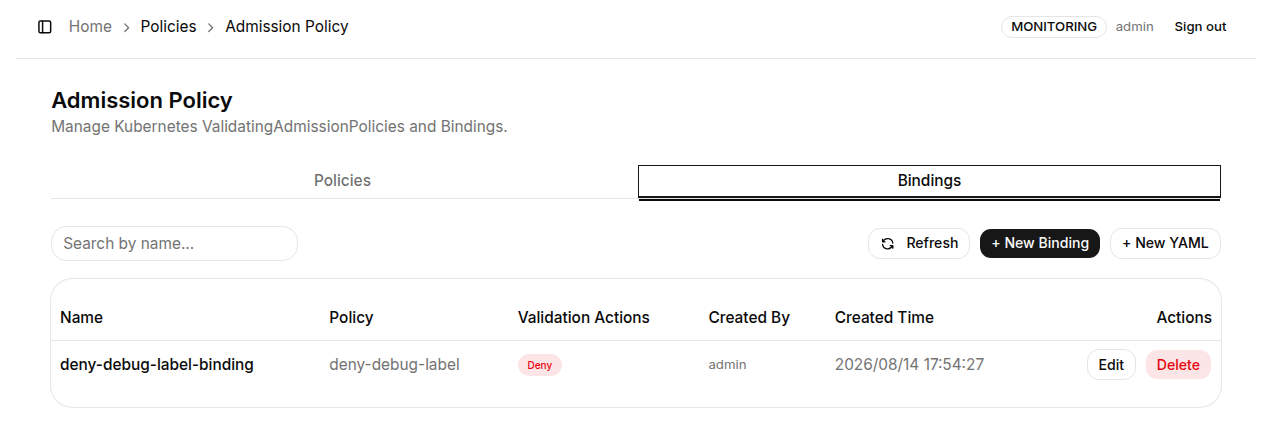
A Binding associates an existing ValidatingAdmissionPolicy with a scope and configures the action on violation (Deny / Audit / Warn).
The namespace scope (v0.54+) offers three modes, all multi-selectable:
| Mode | Description |
|---|---|
| All namespaces | No filter, cluster-wide (the hint notes this includes kube-system) |
| Only these namespaces | Applies only in the selected namespaces (matchExpressions with In) |
| All except these namespaces | Applies everywhere but the selected ones (NotIn), e.g. the classic cluster-wide guardrail excluding kube-system / kube-public / kube-node-lease |
Pair the ConfigMap / Secret Size rules with an "All except" binding that excludes kube-system and friends, so kubelet and controller writes are never blocked.
How it works: K8s Sentinel creates ValidatingAdmissionPolicy and ValidatingAdmissionPolicyBinding resources via the Kubernetes API Server. For each resource request matching matchConstraints, the API Server evaluates the CEL expression and, based on failurePolicy, either rejects or warns.
Admission Policy requires Kubernetes 1.26+ with the ValidatingAdmissionPolicy feature gate enabled (enabled by default in Kubernetes 1.28+).