Admission Events
About This Feature
The Admission Events page records and displays violation events from Kubernetes ValidatingAdmissionPolicy. Events come from two sources:
- Kubernetes Warning Events (default): works without any setup, but only covers violations that raise a Warning Event
- Audit Webhook (recommended): pointing the kube-apiserver audit webhook at K8s Sentinel gives complete coverage, including requests rejected straight from
kubectl apply
The Source filter on the page shows which pipeline each event came from.
Viewing Admission Events
Navigate to "Admission Events" to see the list of captured admission violation events.
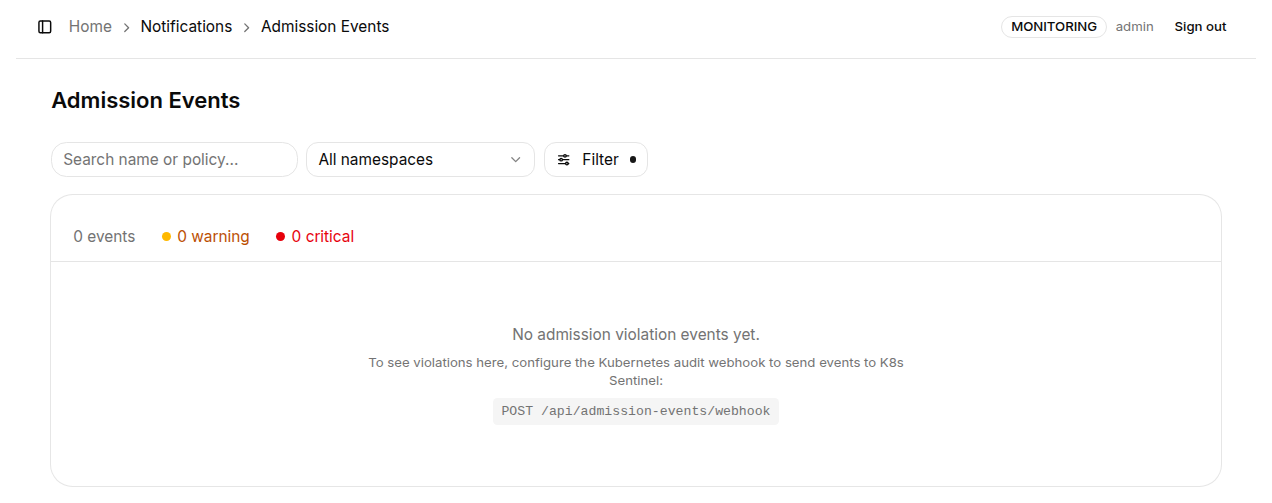
Page elements:
| Element | Description |
|---|---|
| Event counters | Summary banner showing total events, Warning count, and Critical count |
| Search box | Filter by resource name or policy name keyword |
| Namespace dropdown | Filter events by a specific Namespace |
| Event type dropdown | Show all events or a specific event type |
| Source dropdown | Toggle between event sources (Audit Log) |
Event Severity
Severity follows the binding's validation action:
| Severity | Description |
|---|---|
| Critical | Validation action Deny: the request was actually blocked by the API Server |
| Warning | Validation action Audit: the request was allowed, but the violation was recorded |
Events are deduplicated over a 30-second window and persisted; the default retention is 500 events with a 30-day TTL (adjustable in Event Retention).
Configuring Kubernetes Audit Log
Complete violation coverage (including requests rejected straight from kubectl apply) requires configuring the kube-apiserver's Audit Policy and Webhook on every control plane node - and protecting the webhook endpoint with a token is recommended. See Wiring Up the API Server Audit Log in the Installation section for the full setup.
If this page shows no events from the audit source, the audit webhook is most likely not configured, misconfigured, or the tokens do not match (see the troubleshooting section on the setup page).
Admission Events retention settings (max event count and TTL) can be configured in Settings → Event Retention under the "Admission Events" tab.